GeForce RTX 5080 DLSS 5 benchmark: launch performance and what developers should watch
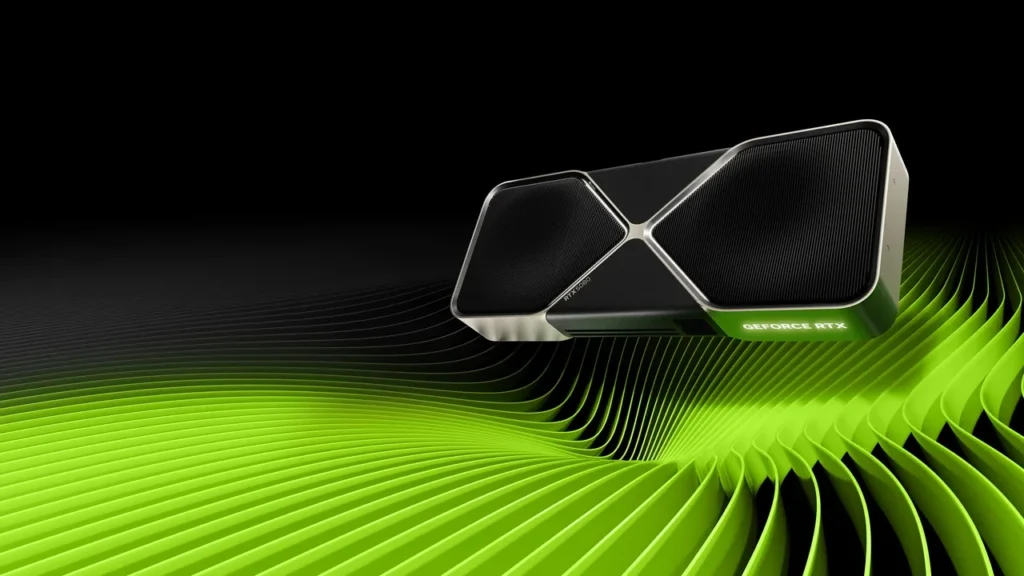
NVIDIA GeForce RTX 5080. Image credit: NVIDIA.
GeForce RTX 5080 DLSS 5 benchmark: launch performance and what developers should watch
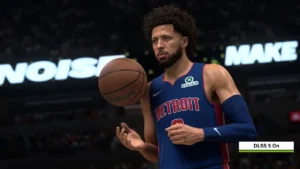
NVIDIA’s only verified per-game launch figure for the desktop GeForce RTX 5080 is up to 410 FPS in NBA 2K27 at 2560×1440, using the Ultra preset, ray tracing, and the full DLSS stack including DLSS 5. The feature is scheduled for September 3, 2026 at 21:00 PT. Until more data appears, that qualified result is the only frame-rate number worth repeating for this exact launch configuration.
NVIDIA describes DLSS 5 as a 3D-guided neural-rendering system. Both the RTX 50 product material and ADLR research page treat the details as launch-data gated, so analysis beyond the published result must remain conditional until independent testing appears. Developers can still use the result to decide what to instrument in their own engines.
For a desktop RTX 50 team, the NBA 2K27 figure is useful only when its full stack, runtime boundary, QA checks, and certification conditions travel with it.
Exactly what NVIDIA’s launch figure covers
The published result belongs to one desktop GPU, game, resolution, preset, and ray-tracing configuration. Those qualifiers are part of the measurement.
| Field | Value | Notes |
|---|---|---|
| GPU | GeForce RTX 5080 (desktop) | RTX 50 Series product, launch-day figure |
| Game | NBA 2K27 | One specific launch title |
| Resolution | 2560×1440 | 1440p, not 4K, not 1080p |
| Preset | Ultra | Game-defined Ultra preset |
| Ray tracing | Enabled | Ray-traced effects on |
| DLSS stack | Full DLSS, including DLSS 5 | Super Resolution, Ray Reconstruction, Frame Generation, and DLSS 5 components |
| Frame rate | Up to 410 FPS | Headline figure from the launch page |
“Up to” identifies a ceiling from a particular scene, driver, and build, not a guaranteed minimum. Independent reviewers will usually add 99th-percentile or 1 percent low data, which may differ sharply in CPU-bound or streaming-heavy sections.
The launch entry has no 4K, 1080p, Cyberpunk 2077, frame-time variance, or power-draw result. Nor does it divide the gain among Super Resolution, Ray Reconstruction, Frame Generation, and DLSS 5. Any per-feature split is interpolation until independent captures arrive after launch.
Use 410 FPS as a sanity check, not a shipping target. A much lower internal capture of the same NBA 2K27 scene at 2560×1440 Ultra on the same driver may indicate CPU, streaming, or plugin limits. A higher result probably uses another scene, pre-release driver, or incomparable test environment.
DLSS 5 adds to the stack rather than replacing it
The DLSS family has expanded since 2018, with each component solving a different rendering problem. NVIDIA’s ADLR research and GeForce materials define the launch boundary for DLSS 5.
| Component | Primary job | Input | Typical developer knob |
|---|---|---|---|
| DLSS Super Resolution | Upscale a lower-resolution render to the target output resolution | Low-res color, motion vectors, depth | Quality, Balanced, Performance, Ultra Performance presets |
| DLSS Frame Generation | Insert an interpolated frame between two rendered frames | Rendered frames, motion vectors, depth | On/off toggle, optical flow behavior |
| DLSS Ray Reconstruction | Replace hand-tuned denoisers with a neural denoiser for ray-traced effects | Ray-traced samples, motion vectors, depth | On/off toggle, signal routing |
| DLSS 5 | 3D-guided neural rendering that conditions output on 3D scene understanding | Per-pixel 3D scene features, motion vectors, depth, low-res render | Engine-side integration in supported SDK paths |
The architectural change is its 3D conditioning signal. Earlier components mainly interpret 2D buffers and motion; DLSS 5 adds scene representation so the model can reason about geometry. That places it at a different point in the frame graph from Super Resolution.
Launch integration uses NVIDIA’s shipped SDK paths, requires the matching runtime, and is opt-in. It only runs on RTX 50 Series hardware at the desktop tier. The RTX 5080 Mobile, Max-Q, D, SUPER, and Ti variants are excluded from this exact launch claim. Gate by both family and desktop identifier, then fall back to the previous DLSS preset when either check fails.
What a 410 FPS result implies
410 FPS is a measurement, not a normal player target. Most current PC titles aim at 60, 120, or another panel-specific rate. Its value lies in the frame budget it reveals.
The average budget at 410 FPS is 2.44 milliseconds for CPU work, submission, GPU commands, scene rendering, DLSS 5, and present. A reasonable GPU allowance is roughly 1.5 to 2 ms with a 99th percentile no higher than 4 ms. Clearing that at RT Ultra and 1440p demonstrates a highly tuned combination, not a default expectation for an unfinished scene.
Within 2.44 ms, shader compilation, streaming, or decompression spikes become obvious in 1 percent lows. A one-second asset stall can add 10 ms to that low without materially changing the average, which is why the FPS number needs a frame-time trace.
A clean 410 FPS run also suggests steady engine submission, a low-latency swap chain, and no synchronous readback in the DLSS 5 component. A large drop from a deferred-context implementation may indicate scheduling or synchronization trouble rather than neural-model cost.
How to evaluate a launch-day result
Treat launch data as the best supported configuration the publisher is willing to stand behind, not a trend across games.
- Confirm exact GPU, platform tier, game build, and driver branch before comparing the result with an internal run.
- Match resolution, preset, and ray-tracing state. A 1440p Ultra figure is not interchangeable with 4K High.
- Separate DLSS components where possible. “DLSS on” and “DLSS 5 on” do not necessarily describe the same stack.
- Capture the same scene and driver with a frame-time graph, then compare it with the published number.
- Record scene, camera path, streaming state, and asset version so future regressions use the same baseline.
Do not multiply the headline rate by invented feature ratios. The opposite extreme, refusing to publish the one externally verifiable number, also discards useful evidence.
Repeat the qualified launch result, label everything else conditional, and identify the independent evidence that would change the recommendation. That gives QA a testable reference.
Verify the runtime path before benchmarking
DLSS 5 is a runtime feature rather than a shader. A stale buffer, wrong format, or missing handle can silently trigger fallback, leaving a benchmark that never used the intended path.
- Device and adapter detection. Confirm a desktop GeForce RTX 5080 and gate on both family and desktop identity, not a loose “RTX 50” string.
- Buffer and view formats. Color, motion, and depth must match runtime requirements or the build may fall back to Super Resolution.
- Motion-vector scale and jitter. Use the same jitter sequence as Super Resolution; custom shipping jitter can reduce quality without changing FPS.
- Command-list order. Run after scene color and motion vectors, before present, with a fence on deferred contexts. Missing synchronization can create a 5 to 10 percent regression.
- Resource lifetime. Keep inputs alive until the pass completes. Recycling a pooled color target too early can corrupt frames while the benchmark still counts them.
Every check is deterministic, and missing any one can invalidate an otherwise tidy capture.
Technical artists should also compare content with the conditioning input. Heavy custom post-processing before the DLSS 5 pass, for example, will produce a high FPS reading alongside a soft or smeared image.
New releases and live games need different rollout plans
A new title can make the SDK a hard dependency and establish one known baseline. A live game must add it to an already certified build serving GPU families from the previous five generations.
For a new release, enable DLSS 5 by default on supported desktop RTX 50 hardware, fall back automatically elsewhere, build QA around the actual platform list, and save a trace for each preset. Most risk sits in integration and can be addressed with the runtime audit.
A live patch must enable the path only on the desktop RTX 5080 while leaving every other RTX 50 variant, older GPU, and non-desktop form factor on the previous stack. Query family, desktop identifier, and runtime support bit; if any fail, retain the old preset and describe the rollout as “GeForce RTX 5080 desktop only.”
Content changes add another risk. Ray tracing, screen-space reflections, and custom post effects introduced since the last DLSS update may alter conditioning data. Shipping the SDK first and enabling DLSS 5 in a later clean regression patch can be worth the extra cycle.
QA and certification signals that matter
Most field failures come from buffers, fences, conversions, and presentation rather than the model. Tie each QA row to a specific fault.
| Test | What it catches | Tooling |
|---|---|---|
| Frame-time graph over a 60-second capture | Hitches caused by resource lifetime, streaming, or DLSS pass scheduling | GPU profiler, frame-time overlay |
| Visual diff against a reference path at the same camera | Buffer format errors, motion vector scale errors, jitter desync | Reference renderer, image diff tool |
| Driver branch smoke pass | Regressions introduced by a new driver that ships after certification | Multi-driver test rig, automated scene replay |
| Feature gate audit | Silent fallback to the previous DLSS preset on a wrong GPU identifier | Build-time feature query test, runtime log capture |
| Power and thermal capture | Throttling that masks the true peak FPS as a sustained FPS | External power meter, thermal probe |
Visual diffs deserve special attention because buffer and vector faults may leave the average untouched. A corrupted-motion-vector run can still report 410 FPS.
Certification should preserve one versioned binary, driver, and scene that reproduces launch behavior. Keep that artifact for future regression work.
Evidence to expect after launch
Independent reviewers will turn the single launch point into a curve with frame-time graphs, 1 percent lows, latency measurements, and reference-image comparisons. Useful sources will normally arrive in this order:
- Large hardware outlets adding 4K and 1080p data to the official 1440p result.
- Technical engine investigations focused on integration and 1 percent low traces.
- Community captures that can reveal driver-specific regressions but require more than one sample.
- Engine-vendor documentation clarifying the contract between DLSS 5 and earlier components.
Engine documentation matters most to developers because it changes what the code must supply. Game results move with drivers, patches, and scenes; a revised buffer format or motion-vector scale changes the implementation itself.
Launch benchmark questions
What is the verified RTX 5080 launch result?
Up to 410 FPS in NBA 2K27 at 2560×1440, Ultra, with ray tracing and the full DLSS stack including DLSS 5. It is NVIDIA’s only published per-game launch figure for this GPU.
Does 410 FPS apply to laptops or other variants?
No. It applies only to desktop GeForce RTX 5080. It does not transfer to Mobile, Max-Q, D, SUPER, Ti, neighboring models, 4K, 1080p, or another preset.
When is DLSS 5 scheduled to launch?
September 3, 2026 at 21:00 PT with the desktop RTX 50 Series stack. The rollout is launch-data gated, so broader claims should wait for independent captures.
How does DLSS 5 differ from existing components?
Super Resolution upscales, Frame Generation interpolates frames, and Ray Reconstruction replaces denoisers. DLSS 5 adds 3D-guided neural rendering conditioned on scene representation rather than only earlier screen-space inputs.
Does the engine contract change?
Yes. The runtime expects 3D scene conditioning and a different buffer set from Super Resolution. Existing DLSS integrations still need an input audit to rule out silent fallback.
Can the 410 FPS gain be divided by feature?
No. NVIDIA publishes the full stack result without separate contributions. Any launch-day ratio for individual components is editorial interpolation.
How should a live game deploy the feature?
Ship the SDK update, regress existing desktop RTX 50 content, then enable DLSS 5 in a clean patch. Gate on family, desktop identifier, and runtime support, with fallback everywhere else.
How should an internal benchmark be captured?
Use a 60-second trace from the same scene, preset, and driver, then pair it with a reference-path visual diff. An average of 410 FPS can still hide a 10 ms 1 percent low from streaming or resource lifetime trouble.
Where are the primary launch sources?
NVIDIA’s GeForce news launch page supplies the NBA 2K27 result, its ADLR research page explains 3D-guided neural rendering, and Wikipedia’s RTX 50 Series page covers the wider product lineup.
Will independent tests change the picture?
Almost certainly. Expect 4K and 1080p results, 1 percent lows, frame-generation latency, and image comparisons that cover gaps in the launch material.