GeForce RTX 3080 Ti Laptop GPU DLSS 4.5 vs DLSS 5
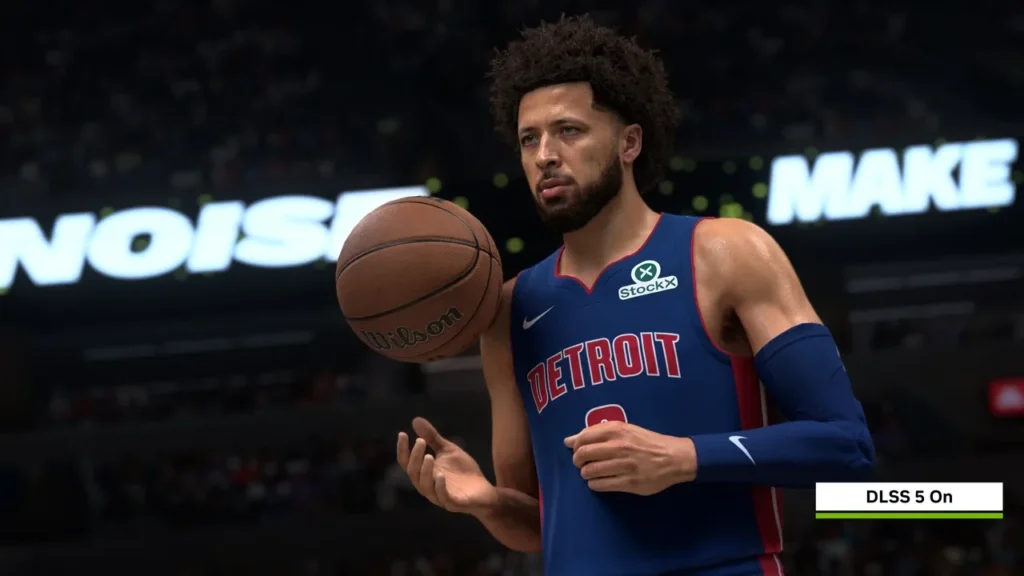
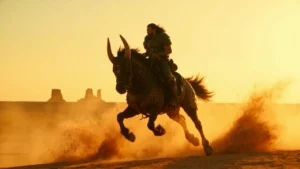
Official NBA 2K27 DLSS 5 comparison frame. Image credit: NVIDIA / 2K / Visual Concepts.
The GeForce RTX 3080 Ti Laptop GPU supports DLSS 4.5 Super Resolution and Ray Reconstruction. NVIDIA has not announced DLSS 5 for this mobile part.
Put that distinction in design documents, Steam copy, and public roadmaps before discussing benchmark uplift.
The exact-model measurements below all have DLSS disabled. They establish a native baseline, while preset advice and future-version discussion remain engineering judgment.
GeForce RTX 3080 Ti Laptop GPU DLSS 4.5 vs DLSS 5: the honest starting point
There are three separate questions behind the comparison: what the GPU runs now, whether NVIDIA has named it for DLSS 5, and what a team should do while the answer remains no.
The first is documented. The second is unannounced.
DLSS 4.5 combines current Super Resolution and Ray Reconstruction models across RTX 30, RTX 40, and RTX 50 hardware.
Any forum, retailer, or generated explainer claiming DLSS 5 on the 3080 Ti Laptop should be ignored until an NVIDIA driver note, SDK changelog, or Game Ready entry names this exact SKU.
The top RTX 30 laptop SKU and its limits
The GPU uses the GA103S die with 7424 CUDA cores, 16 GB of GDDR6, and a 256-bit bus. Its TGP varies by OEM.
It sits at the top of the RTX 30 mobile range, above the RTX 3050 Laptop GPU and alongside the RTX 3080 Laptop GPU, but still operates inside notebook thermal constraints.
- The RTX 3080 Laptop GPU has 6144 CUDA cores, 8 GB or 16 GB of GDDR6, and a lower TGP ceiling.
- The RTX 3080 Ti Laptop GPU has 7424 CUDA cores, 16 GB of GDDR6, a higher TGP ceiling, and a larger memory bus.
- The desktop RTX 3080 is a separate product with different cooling and power assumptions.
- Max-Q and non-Max-Q identify power profiles, not different feature sets or separate SKUs.
It is one of the fastest RTX 30 laptop parts, but its official neural-rendering path is still anchored on DLSS 4.5.
What DLSS 4.5 does on Ampere mobile
Super Resolution renders below the panel’s native resolution and reconstructs the final image with a convolutional or transformer-based network trained against high-quality references.
On a 1440p or 4K panel, the engine may work from a 1080p internal frame and add a relatively small inference overhead.
Ray Reconstruction replaces separate hand-tuned denoisers with a learned model that works across sparse ray samples, fireflies, specular highlights, and indirect lighting. The developer enables it per title.
Model weights arrive through the NVIDIA app, Game Ready Drivers, and game integrations.
A DLSS 4.5 menu label identifies the integrated SDK, but it may not identify the newest model. Leave the in-game model override at its default unless you are deliberately testing revisions.
- DLSS 4.5 is not Frame Generation on RTX 30. Generated intermediate frames require RTX 40 or later hardware, and this mobile GPU lacks the required Optical Flow Accelerator.
- Ray Reconstruction can clean a noisy ray-traced signal, but it cannot turn a low sample count into the equivalent of a high sample count.
- Quality, Balanced, Performance, and Ultra Performance trade internal resolution for frame time, and integration quality still varies by game.
Why a DLSS 5 claim is premature
- NVIDIA has not named the GPU in a Game Ready Driver, SDK changelog, or developer post for DLSS 5.
- Industry discussion has centered the heaviest new features, including Multi Frame Generation and recent transformer models, on RTX 40 and RTX 50 hardware.
- Any new network must be profiled within this part’s 16 GB GDDR6 capacity, bandwidth, Tensor throughput, and OEM TGP envelope.
Do not promise the feature in a design document, store listing, publisher pitch, or community update. Call it an unannounced future option.
The native 1080p benchmark baseline
These exact-model results come from the dedicated benchmark page.
Desktop, Max-Q shorthand, and neighboring mobile SKUs are excluded.
| Game | Resolution | Settings | Average FPS | DLSS in test |
|---|---|---|---|---|
| Cyberpunk 2077 1.6 | 1920×1080 | Ray Tracing Ultra Preset (DLSS off) | 49.9 | Off |
| Cyberpunk 2077 | 1920×1080 | Ray Tracing Ultra Preset (DLSS off) | 44.4 | Off |
| Alan Wake 2 | 1920×1080 | High Preset + High Ray Tracing | 37.2 | Off |
The two Cyberpunk 2077 rows come from slightly different test configurations on the same page.
Alan Wake 2 supplies another engine and a title where Ray Reconstruction can materially improve temporal stability.
Quality-mode Super Resolution may roughly double effective frame rate in a memory-bandwidth-bound game after inference cost, but the exact multiplier depends on game, preset, and model.
Publish only numbers measured in the project’s own profiler.
Work to finish in the current sprint
- Pin the NVIDIA Streamline or NGX SDK version documented for DLSS 4.5 and include the current production model assets in the repository.
- Profile Quality, Balanced, Performance, and Ultra Performance on the worst scene. Record frame time, 1 percent lows, and VRAM use on the real laptop SKU.
- Compare Ray Reconstruction with the hand-tuned denoiser at the same sample count and lighting preset in at least one heavily ray-traced or path-traced scene. Include any hybrid screen-space reflections, ambient occlusion, or global illumination route.
- Choose a default. Quality plus the studio-approved Ray Reconstruction state is usually the defensible starting point for a single-player laptop target.
- Log player preset, driver version, and model version so a later branch change can be evaluated against real use.
Keep a one-page support matrix naming the current branch, the future branch under review, and whether that future support is official.
What owners should expect today
- Update through the NVIDIA app or GeForce Experience. New public model weights arrive in Game Ready Drivers.
- Use Quality on 1440p and 4K panels first. Performance and Ultra Performance lower the internal target further and can expose problems in hair and fine geometry.
- Leave Ray Reconstruction enabled in supported heavy-RT titles unless a direct comparison shows a reason not to.
- Ignore DLSS 5 sliders or mod claims. They are currently a typo, future flag, or version-number misunderstanding on this GPU.
- Wait for a Game Ready note that names the 3080 Ti mobile SKU.
At 1080p on a high-refresh competitive display, native rendering may already be fast enough to avoid the small upscale-pass latency. In slower 1440p cinematic games, DLSS 4.5 is often the more practical route to a playable ray-traced preset.
Use the RTX 30 series overview for family structure and the dedicated 3080 Ti Laptop benchmark page for this model’s measurements.
How the supported features changed across DLSS versions
| Feature | DLSS 2.x Super Resolution | DLSS 3.x Super Resolution | DLSS 4.5 Super Resolution |
|---|---|---|---|
| Upscaling network | Convolutional, per-frame | Convolutional, refined models | Convolutional and transformer-based, refined models |
| Ray Reconstruction | No | Introduced in subset of titles | Broadly available, default denoiser path for ray-traced effects in supported SDKs |
| Frame Generation | No | RTX 40 series and later only | RTX 40 series and later only; not available on RTX 30 mobile |
| Reference to consider | Foundational mode, still used in older titles | Incremental update, used widely on RTX 30 laptops | Latest path on RTX 30 laptops, including the 3080 Ti |
Frame Generation remains excluded because RTX 30 lacks the Optical Flow Accelerator it requires. That hardware limitation does not disappear with a new version label.
Sources worth watching and noise worth ignoring
- NVIDIA’s developer blog, Game Ready notes, SDK changelog, and GTC archive are the primary channels.
- Reports from GTC, CES, Computex, and Gamescom can confirm what appeared on stage, but NVIDIA documentation still controls support.
- Community posts, modding forums, retailer listings, and generated explainers are useful for finding questions, not for establishing facts.
Wait for a named driver or SDK.
Then test that exact build on the exact laptop GPU.
How to read laptop benchmark charts
- Confirm the chart says GeForce RTX 3080 Ti Laptop GPU, not desktop RTX 3080 Ti shorthand.
- Find the TGP. The same mobile SKU can appear in 150 W and 175 W chassis with different sustained clocks.
- Check whether the row is native, DLSS Quality, or DLSS Performance. Only native results transfer cleanly between systems.
A graph without exact SKU and TGP is incomplete.
If it also omits the DLSS state, it is not suitable for a production decision.
When to lock DLSS 4.5 during production
- During the vertical slice, keep it reversible beside other upscalers and use Quality as the initial default.
- At production lockdown, pin the SDK and model, retain a user override, and document the default in the public performance guide.
- During live operations, treat it as the supported baseline and use telemetry to catch driver or model changes.
Locking too early can freeze an older model. Locking too late leaves QA without a certification default.
If NVIDIA later adds RTX 30 mobile support
- Update the SDK dependency and run a regression pass against the pinned 4.5 headers.
- Re-evaluate the default because a new model may justify another quality mode.
- Update public wording and re-test every benchmark that quoted a DLSS 4.5 multiplier.
Until the support note exists, a DLSS 5 roadmap entry remains a placeholder rather than a promise.
Exact-model measurements in the original test
These figures are native baseline results, not DLSS-enabled targets.
| Game | Resolution | Settings | Result | Provenance |
|---|---|---|---|---|
| Cyberpunk 2077 1.6 | 1920×1080 | Ray Tracing Ultra Preset (DLSS off) 1920×1080 | 49.9 FPS | direct Notebookcheck measurement from this exact GPU page |
| Cyberpunk 2077 | 1920×1080 | Ray Tracing Ultra Preset (DLSS off) 1920×1080 | 44.4 FPS | direct Notebookcheck measurement from this exact GPU page |
| Alan Wake 2 | 1920×1080 | High Preset + High Ray Tracing 1920×1080 | 37.2 FPS | direct Notebookcheck measurement from this exact GPU page |
Questions about DLSS on the 3080 Ti Laptop
Does it support DLSS 5 now?
No. The official path is DLSS 4.5 Super Resolution and Ray Reconstruction through the current driver and SDK.
Which version is the latest official one?
DLSS 4.5, covering Super Resolution and Ray Reconstruction. NVIDIA updates model weights and SDK headers through its normal channels.
Can it use Frame Generation?
No. Frame Generation requires RTX 40 or later and an Optical Flow Accelerator that RTX 30 mobile does not have.
Could DLSS 5 arrive later?
Possibly, but no schedule or exact-GPU support has been announced. Change the matrix only after a driver or SDK changelog names the part.
How much faster is DLSS 4.5?
It depends on game, preset, and model. Start with the published native results, then measure all four quality modes in the actual build and laptop.
Is DLSS 4.5 the same as DLSS 3.5 here?
Older DLSS 3.x Super Resolution remains in many games, while the newest production models and SDK form the 4.5 path on this hardware.
Should Ray Reconstruction always be enabled?
It usually improves temporal stability in single-player, cinematic, and path-traced scenes for a small frame-time cost. Competitive and latency-sensitive cases still need direct measurement.
Does DLSS 4.5 use much more VRAM?
Super Resolution and Ray Reconstruction each add small fixed allocations for network input and output.
Neither changes the internal framebuffer by more than a few megabytes, so the title’s own render targets matter more on a 16 GB part.
Which driver should owners install?
Use the latest NVIDIA Game Ready Driver for the exact laptop GPU and check its notes for the current model route.
Where can official status be confirmed?
Use NVIDIA’s developer blog, SDK changelog, and Game Ready Driver notes. The RTX 30 family page identifies the SKU, while Notebookcheck supplies the exact-model benchmark record.
The supported path remains DLSS 4.5 Super Resolution and Ray Reconstruction. DLSS 5 stays outside the plan until NVIDIA names this hardware.