The Guide to the Best Minecraft PE Mods
Is It Worth Installing Minecraft PE Mods?
Minecraft Pocket Edition (PE) is great but sometimes you just need a little bit more. The secret weapon for PE players who want to supercharge their game is mods a.k.a. add-ons. These addons are unlike Minecraft PC mods. They do not offer total overhauls – percept Minecraft PE mods more like targeted injections of new content or simple game mechanics. It is just another way to add some fun or challenge to the game that you already know by heart.
After going through your Minecraft PE APK version on the mobile back and forth a few times, you should add something new to your favorite game. Do you fancy the perilous life of a Pirate King, or maybe you’d be happier controlling a tank in the middle of a battle or making an Ender Mob your pet? There are mods and addons for Minecraft PE that can keep things interesting in the Nether and other realms. Beating boredom is the main reason to try one of these mods out.
Are you feeling creative? With addons and mods installed, you can sculpt your Minecraft world in a totally new way. For example, you may explore a new landscape with global mods like Ophix: Earth. It’s mind-blowing! And despite the small format of Minecraft PE, you can still find and install global mods. Creativity and imagination are the best companions in the modded version of PE.
Keep in mind that the Minecraft PE modding scene is booming. Because players are constantly cooking up awesome creations, you will have an endless lineup of awesome mods for Minecraft PE to try on. There are Nexus and Steam communities along with many third-party websites and fan-made communities.

There is something for everyone in the array of Minecraft PE mods – eye-catching texture packs, and gameplay tweaks that rewrite the basic rules. No matter if you’re a casual explorer or a hardcore builder, you may find an addon that suits your purpose.
Why do they call Minecraft PE mods as addons? Because they work a bit differently compared to the modifications to the original game on PC or consoles. These addons are more mobile—friendly and usually do not overload the system drastically.
Overview of Minecraft PE Before Installing the Mods
Minecraft PE has just received a bit of a facelift with the release of version 1.21.60.25 (released on January 8, 2025). This update is not just a couple of tweaks; it comes with new biomes, new mobs, and new crafting recipes to finally let your inner inventor out. While this update isn’t about getting totally new stuff, the developers are still adding a bunch of cool things and have worked hard to make it run smoothly on your mobile device. There are a few reports about bugs or lagging. The Asami Games team recommends watching this video with more details about the Minecraft 1.21.60.25 version.
Another great thing is that you can install and play Minecraft PE mods and addons on many platforms, though this version is better working on a mobile device. You can install and play Minecraft PE with mods on Android or iOS phones, Windows, or macOS computers. There are also versions for PlayStation, Xbox, and Nintendo, but their support for mods is very limited by these platforms. Thanks to the cross-platform support, you can play with your friends who may use any other platform than you.
And when it comes to adding new Minecraft PE mods or add-ons, you have a couple of options: pick them from different websites or use the in-game Marketplace — a treasure chest of the community-made content approved by Mojang.
Different Types of Minecraft PE Mods
Although Minecraft PE isn’t just about mining and crafting, the massive world of addons is a blank canvas for endless creativity. Plenty of addons aren’t even small changes but serious game changers that can completely change your experience. There are many types of such mods but you should take a closer look at such popular categories foremost:
- Prepare to be Scared – Horror Mods for Minecraft PE
But do you want to turn your peaceful, peaceful, Minecraft world into a nightmare? The horror mods are the ones that get you into terror. Creepy sound effects that make you jump every time you hear a rustle, creepy mobs lurking in the shadows, and environments that will have you cringe as you progress. Biological Infestation takes the landscape and turns it into an alien horror show where you must survive terrifying creatures from the depths of space. Honestly, it’s not for the faint of heart!
- Learning is Fun (Seriously!) with Education Mods
So who is to say that your favorite video games can’t be educational? They sneak learning materials into your Minecraft adventures. Spend time building historical landmarks, experimenting with science online, and doing a variety of things in an interesting and interactive way. For example, with Minecraft education PE mods you as a teacher can interest your students in some chemistry or physics topics.

- Test Your Limits – Install Survival Mods for Minecraft PE
Are you a Minecraft survival guru? Then test your skills with challenging survival mods. New hunger systems, new challenges, and tougher mobs are waiting for you. For example, the Battle Mutants mod meets you with wave upon wave of powerful mutants that make every encounter an exciting fight for survival.
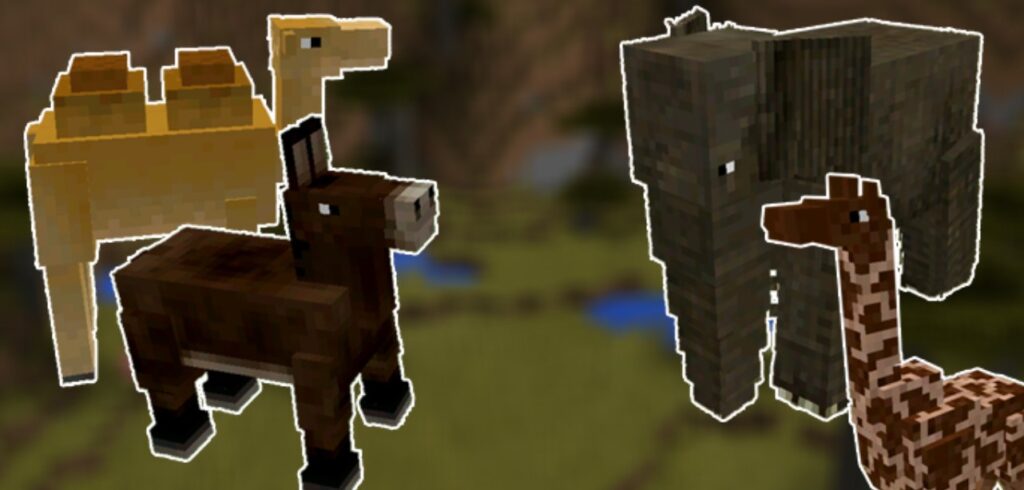
- Minecraft Animal Mods for Nature Loves
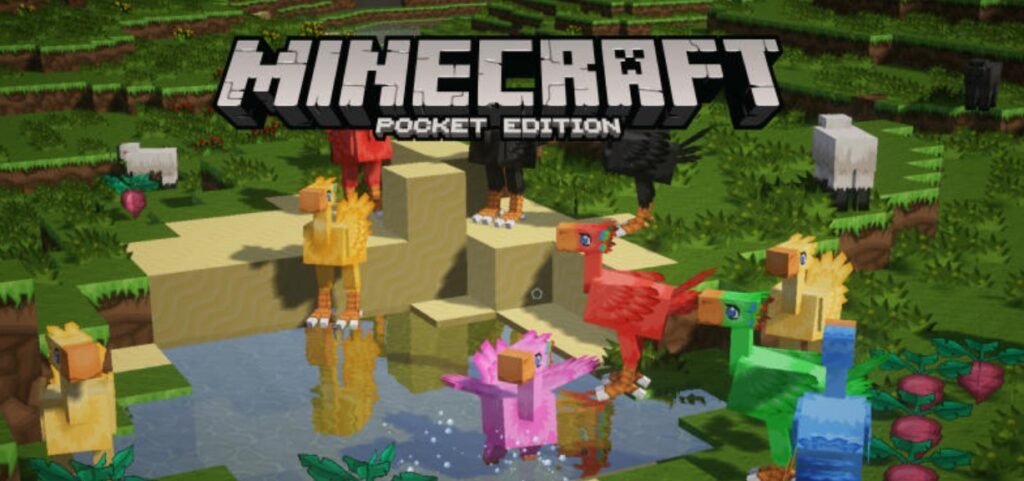
Do you want to put more than pigs and cows into your Minecraft world? Some awesome animal mods for Minecraft PE bring a huge variety of exotic pets or mythical creatures. Breed them, tame them, and create your virtual zoo! In fact, this adds a whole other layer of interaction with the environment.
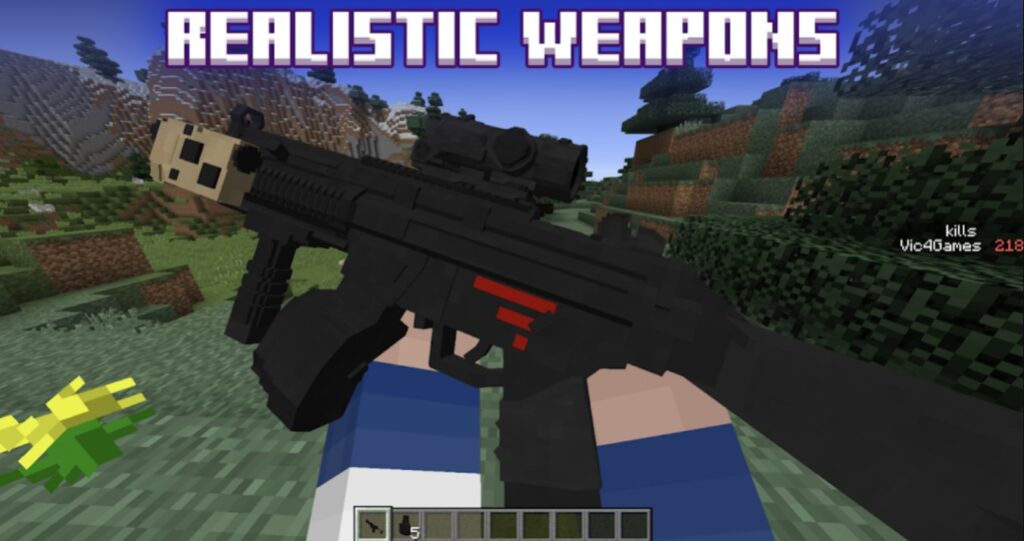
- Gear Up for Battle with Weapons and Combat Mods
Are you ready to unleash your inner warrior? These add-ons revamp the combat system with new weapons, armor, and fighting styles. Mods like Weapons+ 3D add beautifully detailed weapons with unique abilities for more strategy and excitement to every battle.
- Building and Decoration Mods for Perfect Homes!
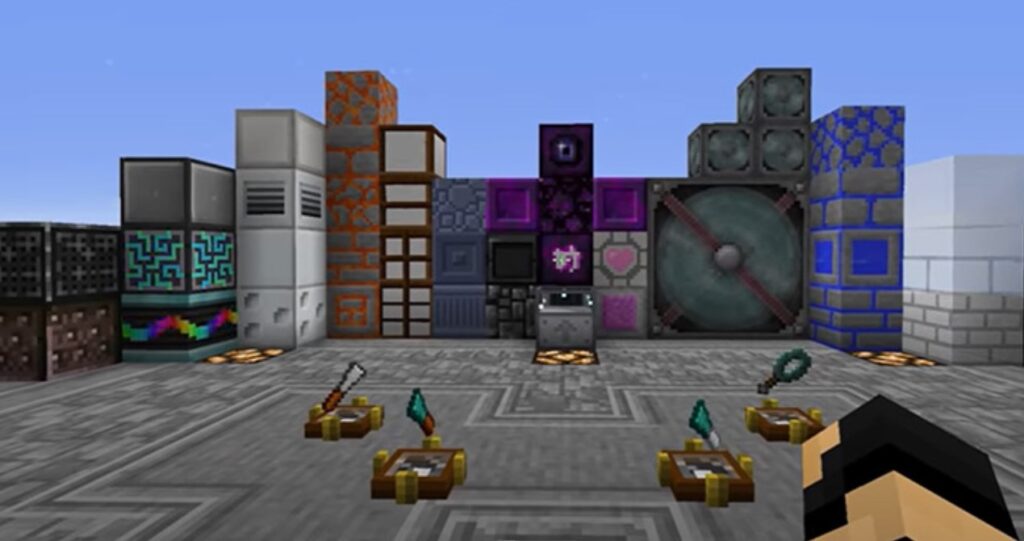
For the builders and architects out there, these mods are a dream come true. They add tons of new blocks, furniture, and decorative items, letting you create even more intricate and beautiful structures. The Farming Kitchenware mod, for example, adds over 200 new crops and kitchen items, perfect for designing the ultimate farm-to-table experience.
Some of the Best Minecraft PE Mods Worth Trying
It is so hard to choose only a bunch of favorite mods for PE. But we’ve managed to pick top 5 must-have mods every Pocket Edition fan should try to install.
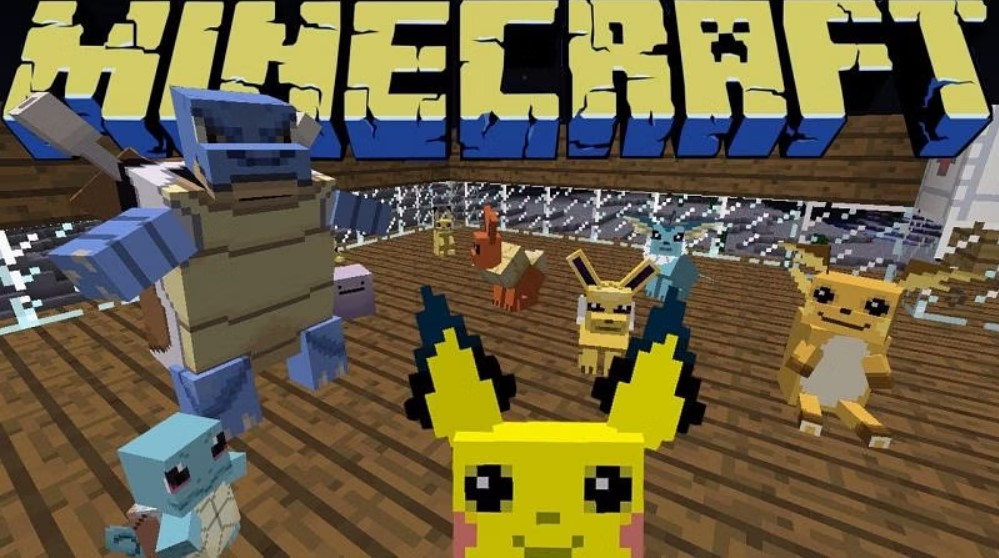
- Pixelmon Reforged
Pixelmon Reforged combined the beloved Pokémon and Minecraft together to make them into one seamless experience. This mod lets you catch, train, and battle Pokemons in a Minecraft world. This mod adds content like Pokémon Centers, Pokémon Gyms, and Poké Balls. Explore the world inhabited by different Pokémon species. Besides the obvious benefits — multiplayer battles and tournaments — this mod is suitable both for Pokémon and Minecraft fans who appreciate the battle element in playing games with a competitive slant.
- The Twilight Forest
The real treasure inside the Twilight Forest mod is a completely new dimension, full of enchanting landscapes, unique biomes, and very hard boss battles. Crafting a portal of flowers and diamonds allows players to access this mystical realm. There are many new mobs, dungeons, and treasures to discover. There are hours of content.
- Epic Dungeons
Procedurally generated dungeons spanning beneath the surface make up Epic Dungeons for Minecraft PE a very beloved mod. There are new traps, puzzles, and a variety of challenging mobs to fight in each dungeon. Each session in a generated dungeon has a different layout, so playing here is always a different experience.
- RLCraft
RLCraft is a must-try modpack for gamers who are looking for an intense survival experience, and you’ve been greatly increasing difficulty. It is a hard-balanced survival environment with finely tuned hydration, health, and temperature parameters. The entire gameplay takes on more survival skills and resource management feel, while new mobs pose more of a threat. If you’re an experienced RLCraft player, you’d love to try to push yourself further; then it’s exactly the right fit for you.
- Mine and SlashThen
Mine and Slash transforms Minecraft into an advanced loot system and skills progression mechanics focused on hack-and-slash RPG experience. Players can play with or against other friends who are themselves customizing their own characters with unique skills. The mod features much more powerful items and they push players to explore dungeons stocked with enemies they have to beat if they want to get better loot.
All these mods are quite popular and interesting to try. Make sure to check the latest addons on your favorite communities and websites where admins regularly post new mods for new PE versions.
How to Add Mods to Minecraft PE?
It depends on the platform where you want to install the best mods for Minecraft PE. We will give the instructions for Android, iOS, and Windows.
1) Install on Android
- Download a file manager like FX File Explorer or ES File Explorer from the Google Play Store. You’ll need this to handle the files for installing Minecraft PE mods;
- Head over to a trusted website like MCPEDL and find the add-ons you want. Look for files ending in .mcpack or .mcworld;
- After downloading mod files, use your file explorer to find the file in your Downloads folder. Tapping a .mcpack file should automatically import it into Minecraft PE;
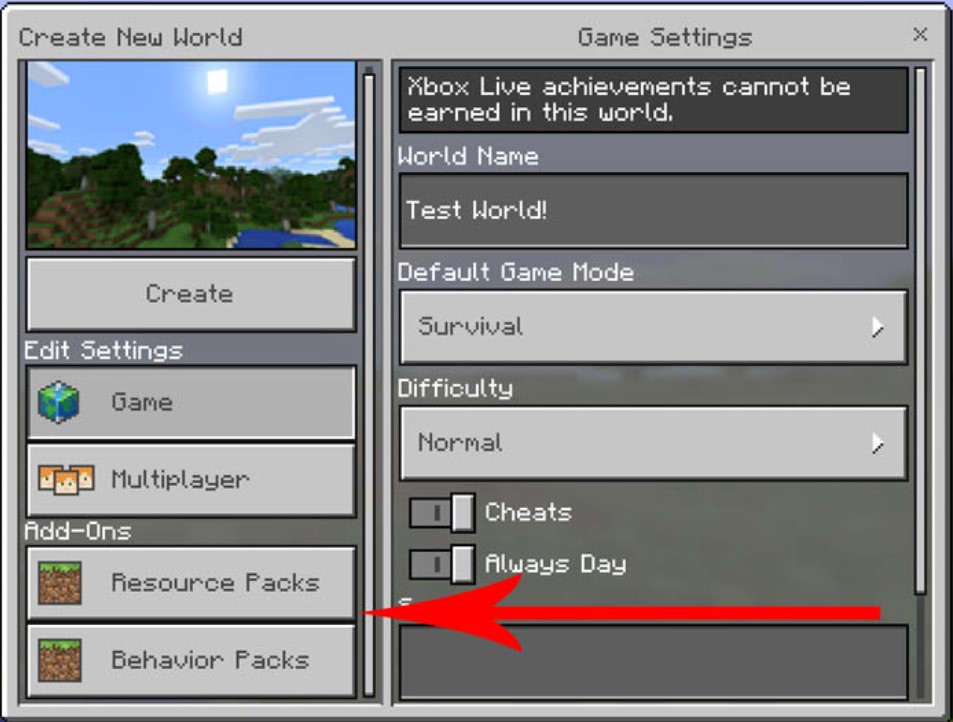
- Open Minecraft PE, create a new world (or edit an existing one) and scroll down to the “Behavior Packs” and “Resource Packs” sections. Select your downloaded addons from both lists and activate them;
Important notice! Sometimes you need to perform more actions to install PE mods on Android. For example, to get Minecraft PE mods unblocked you have to use the BlockLauncher APK – download only from trustworthy websites!
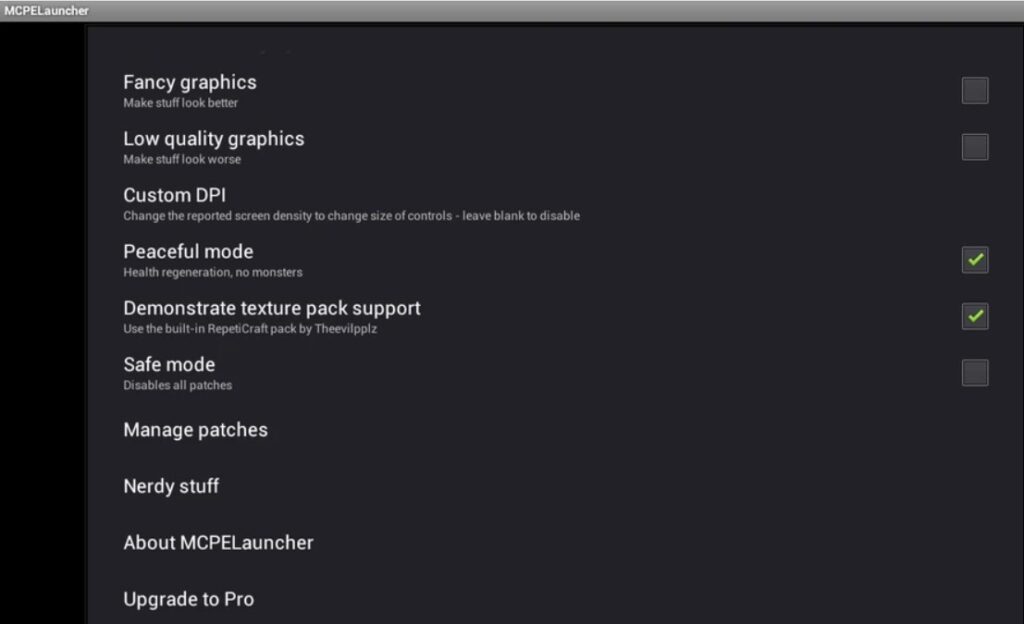
Here is what you should do after installing BlockLauncher on your Android device:
- Find the compatible old mods. Look at the websites like MCPEDL for mods in the outdated .modpkg format;
- Open BlockLauncher and press the wrench icon. Tap on “Add” and then choose your mod-related file from the list;
- To use the mods, you need to launch Minecraft PE from inside BlockLauncher;
2) Install on iOS
Installing Minecraft PE add-ons on iOS isn’t difficult, especially with the files .mcpack or .mcworld. Importing .mcpack files results in a notification while the format .mcworlds adds the content to the world in Minecraft PE automatically.
But for .zip or .rar files, there is another way. For compatibility with iOS 13.3-14.2 and fixing importing issues, use the “ Documents by Readdle” app.
To manage .zip/.rar files use iFunbox, use a free file manager for Mac and PC – iFunbox. Then, open iFunbox, connect your iOS device, and make sure you are in “User Applications”. Then choose “Minecraft PE”. Navigate to “Open Sandbox\games\com.mojang”. Within is it organized into “behavior_packs” and “resource_packs” folders.
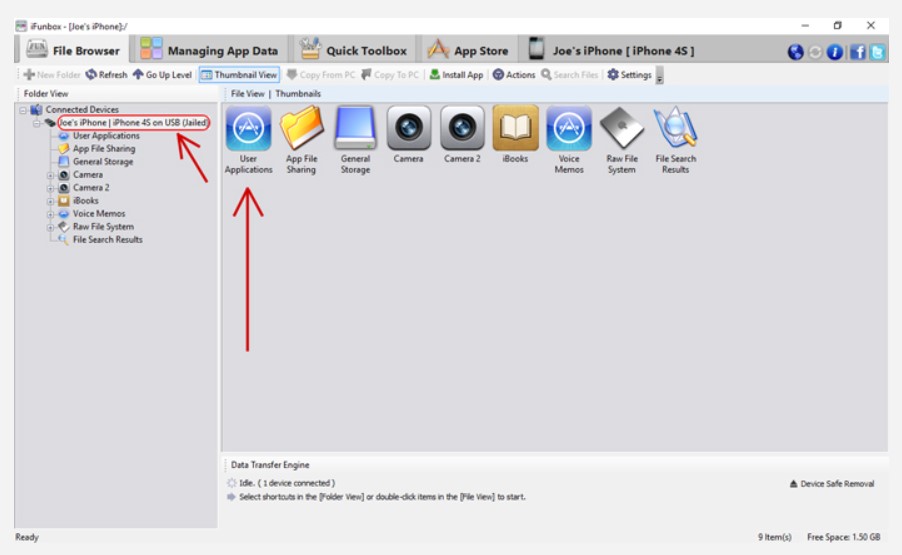
Get the .zip/.rar file downloaded, and extract the content. The behavior pack folder should be then copied into the “behavior_packs” directory, and the resource pack folder into the “resource_packs” directory in the “com.mojang” folder.
So, open Minecraft PE, create a world, or modify one, then activate this addon in the “Resource Packs” and “Behavior Packs” sections. Now you are in the world with your new addon installed.
3) Install on Windows 10/11 (Direct File Management)
- On a website such as MCPEDL, find an addon in .mcpack or .mcworld formats. If it’s a .zip or .rar format – extract the content first;
- Install the files in .mcpack/.mcworld formats. Double-click the file. It should import this automatically in Minecraft. Or do the manual Install of the files in the formats .zip/.rar. Extract the files. The folder structure will be as follows containing folders for “behavior_packs” and “resource_packs”;
- Find Minecraft folders. Type %localappdata%\Packages\Microsoft.MinecraftUWP_8wekyb3d8bbwe\LocalState\games\com.mojang in Press Win + R, then press Enter;
- Copy the files. Extract the add-on, copy its “behavior_packs” and “resource_packs” folders into the “com.mojang” directory;
- Then go to your world, open Minecraft, in the “Behavior Packs” or “Resource Packs” sections activate the addon you have already downloaded and installed;
Also, we recommend checking the following Reddit thread with tips about the installation of Minecraft PE mods on different devices/platforms.

Tips After the Installation of Minecraft PE Mods
First and foremost, always performing a backup of your worlds before installing anything is always a good first step. It protects your creations from strange occurrences from possible malware-containing or disturbed mods. Then double up and make sure your add-ons work with your Minecraft PE version. Read descriptions and comments for any compatibility notes.
In many cases, you’ll also need to turn on “Experimental Features” enabled in your world’s settings. When you create or edit a world, this option will appear. Often it unloads the necessary functions. It’s also a good idea to test new mods in a new world without disturbing your major world with the saved progress.
Keep an eye on the game’s performance. Some mods may lag or freeze a lot, especially if your device is old. You should match your device’s technical options with the Minecraft PE stable version and compatible mods to get the smoothest experience.
Finally, stay updated! Both Minecraft PE and the mods get updates with bug fixes.

Summing up, you need to remember about 3 things during and after the installation of Minecraft PE mods:
- Before installing new addons, ALWAYS back up your worlds to avoid losing the progress if something goes wrong;
- Avoid any security risk of downloading add-ons from credible websites;
- It should work with your version of Minecraft PE – check the compatibility in the mod’s description or upgrade your game’s version;
Frequently Asked Questions
How to install mods on Minecraft PE Android?
To get a mod installed on Minecraft PE for Android, just download the mod file (typically .mcpack or .mcaddon) and install it according to the installer’s hints. Using the in-built file manager to open the file – this action will notify Minecraft to import the file. For gamers who are using .zip files – extract their content and put the behavior or resource packs into the com.mojang folder. Then backup, launch Minecraft PE on your device, select or create a world, and enable the installed addons within the settings.
How to download Minecraft mods on mobile?
Download Minecraft mods for PE on Android – through the raw installation of the APK file with the desired addon installed. It is useless to search for Minecraft PE mods through Google Play Store. Download the APK only from trusted websites – we’ve mentioned the detailed instructions before. Save the settings of the original Minecraft PE before adding new mods. After you download the mod simply open up Minecraft PE, create a new world, and activate the installed mod before launching the game.
How is Minecraft PE different from Minecraft’s vanilla version?
The main differences between Minecraft PE and the vanilla version are its user interface and controls made specifically for mobile platforms. The updates for the Bedrock (vanilla version) and Pocket Edition are even being released on different dates, usually with a month gap.
You have to understand that Minecraft PE isn’t the smaller version of “real Minecraft” or anything. It has its charm, features, and settings:
- Minecraft PE is designed for touchscreens, so forget clunky keyboards and mice. They are incredibly easy to use, allowing you to build, mine, and explore with two fingertips;
- Minecraft PE developers have done a good job – the mobile versions run smoothly and mostly work stably;
- Minecraft PE receives regular updates, new content, bug fixes, and performance improvements. Such an approach makes the game new and exciting for the fans on all the platforms where Minecraft PE is available for installation;
Conclusion
The Asami Games team promised to deliver some of the best Minecraft guides and kept this promise. You should check other guides we offer for the fans of Minecraft in 2025. Make sure to follow our blog and bookmark our content – we’ve prepared some of the most interesting guides for you!