Enjoy City Car Races in Grand Vegas Simulator
What Is the Grand Vegas Simulator?
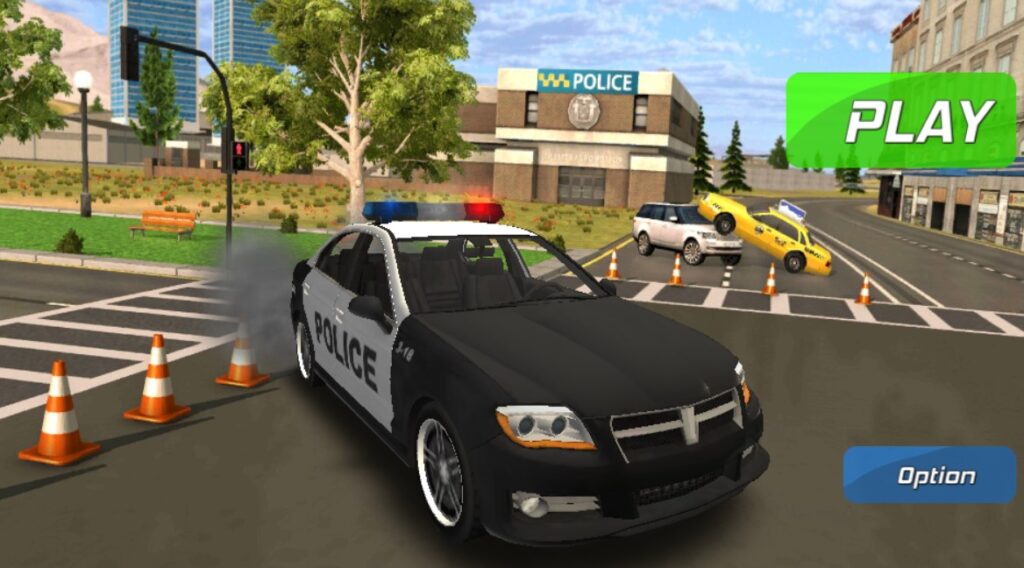
Being an intense crime simulator game Grand Vegas Simulator takes place in the craziest city of Las Vegas. Players are police officers who must chase a bold gangster robbing banks, stealing cars, and escaping from unyielding cops. The main goal is not to let the criminals pull off their heists and instantly capture them. There is life in the city’s difficulties, with police watching for those causing problems.
Also, you must keep in mind that there are 2 versions of the Grand Vegas Simulator on Y8 (and similar websites) and Android phones. The one where you should chase the criminals (the original game title) and the sequel where you play as a criminal who escapes the police to prevent from getting caught.
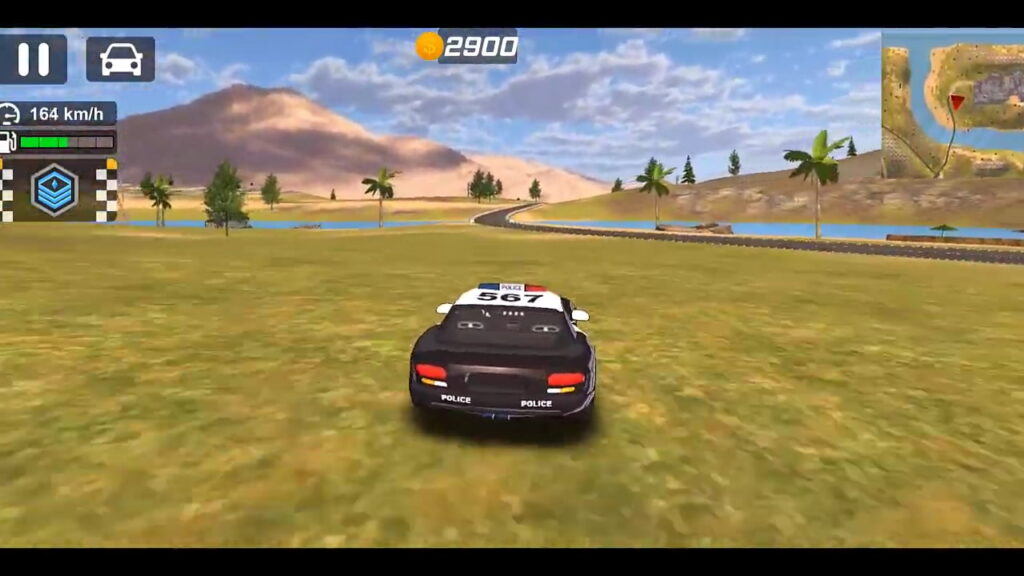
In both cases, the game requires cleverness and speed. It’s crucial to plan your moves carefully so you don’t get caught or catch the criminals. The opponents are not only observing, but they’re prepared to nab you too! Such gameplay creates excitement and suspense in each mission. Every part of the city is a place to cover up and plan your next action.
Grand Vegas Simulator is a great title with quick chase scenes just like other great racing games. The game’s lively surroundings guarantee every mission has a different taste, while the range of crimes makes it more thrilling. It takes you from catching or participating in a simple act of stealing cars and progresses to more complicated bank robberies.
The controls are simple, making it rather quick to start playing. No matter if you choose to play via your browser (the Flash version) or through the Android app on a mobile device – Grand Vegas Simulator always offers an exciting crime-filled adventure that challenges both your mind and driving abilities.
Key Gameplay Features
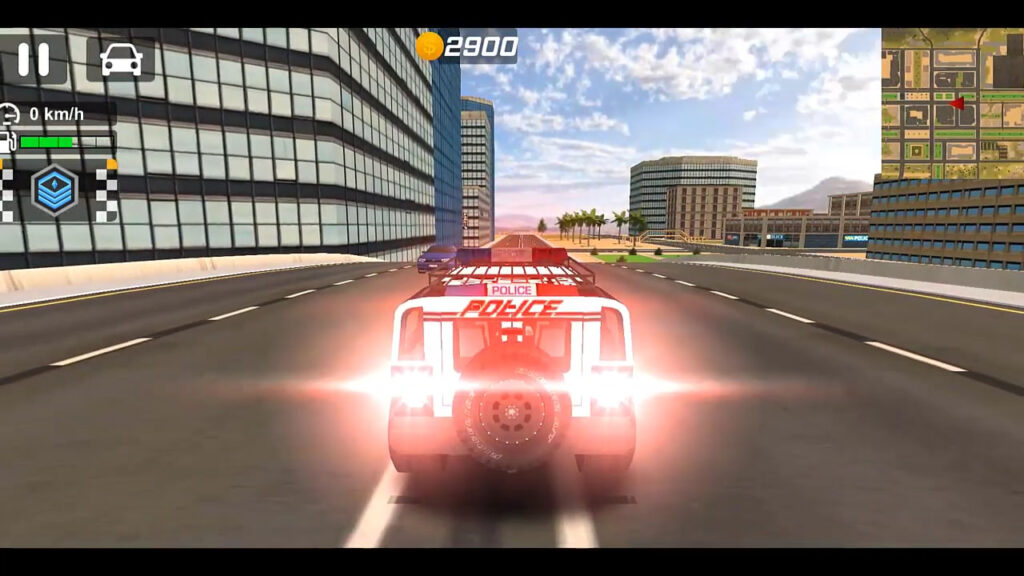
Just like many other mobile and flash gaming projects, the Grand Vegas Simulator game offers simple yet bright graphics with simple controls. We will take a closer look at the original game version where you play as a cop who chases criminals on regular PD cars or vans (paddy wagons).
Mission Variety
The game has many different missions – you have to chase the criminals and get the scores when catching them. The mission difficulty will rise from chasing the criminals who steal cars to bank robbers. Each mission brings its unique challenge and requires players to be smart and quick to accomplish their goals.
High-Speed Chases
The high-speed chases in the Grand Vegas Simulator are very exciting. Cops never give up, and players need to use their driving abilities to escape capture. The city streets are made for active pursuits, having many places to make sharp turns or stop suddenly and escape fast.
Stealth and Strategy
To succeed in catching the heist criminals, you must plan cautiously and be quick. Players need to observe places, make tactics for their moves, and carry out their actions without being noticed. Hiding places and paths of escape are the places to monitor to catch a criminal.
Various Locations
The game shows a lively and detailed city setting. Every part of the town gives unique challenges and chances – be it the hustle-bustle of downtown or calm side streets. Players need to adjust their tactics according to the environment type.
Customizable Vehicles
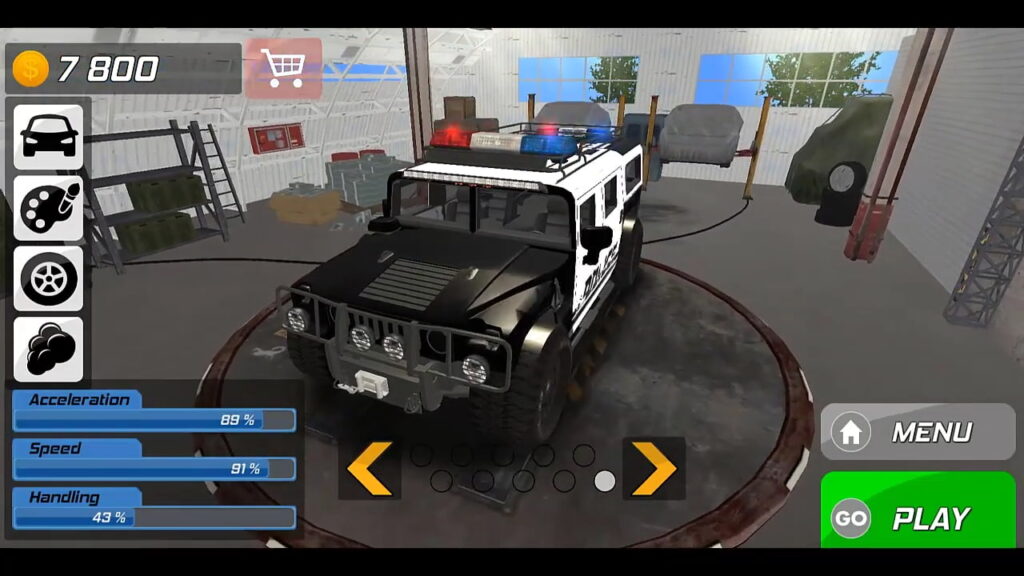
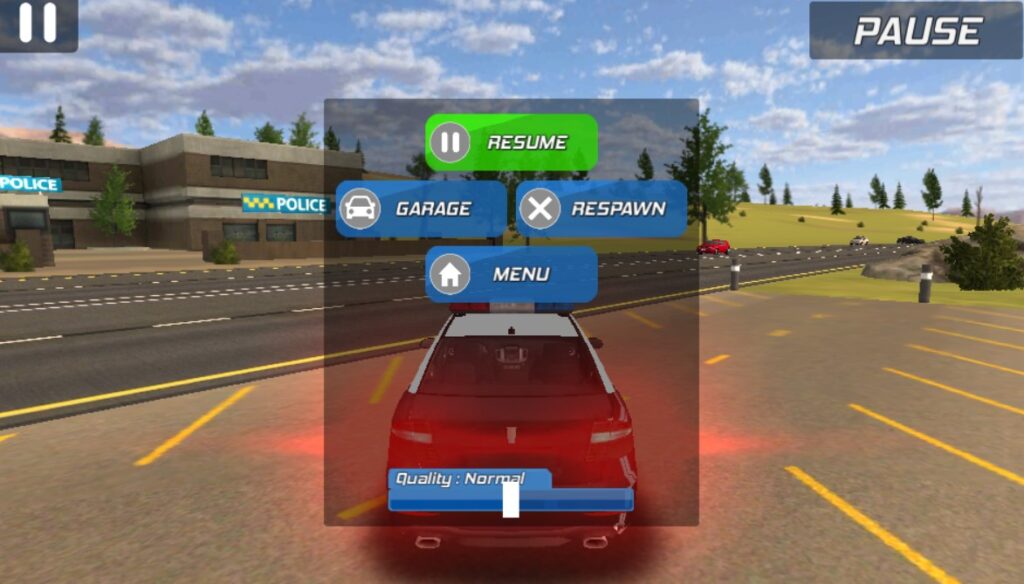
Each mission brings scores and virtual money that players can spend to unlock and modify a range of different police vehicles. The Grand Vegas Police Simulator offers for customizations a garage of different police cars. Each car has its distinct benefits, such as speed for fast escapes or toughness to smash through things. The customization choices let players personalize their trips to get the most out of them.
Ranks and Rewards
When players finish their missions, they get different ranks and rewards (score points and virtual currency). These points help to open the missions, and cars along with numerous customization choices. Advancement in the police ranks gives a feeling of achievement and motivates players to accept tougher challenges.
Immersive Graphics and Sound
The game can boast true-to-life 3D graphics and sound effects. The detailed visuals make the city streets and roads seem realistic. While the sounds add to the excitement in high-speed chases or daring heists.
Just like in the old Sega gaming titles (Crazy Taxi or Out Run), you should expect nice visuals with simple controls and diverse missions.
Pros:
- High-speed chases as a police officer;
- A few dozen interesting missions to explore;
- Detailed city environment;
- Easy-to-understand controls;
- Customizable vehicles;
- Realistic graphics;
- Engaging sounds;
- A reward system that stimulates the gameplay;
Cons:
- The gameplay quickly becomes monotonous;
- Rapidly increased difficulty of missions;
- A bit clumsy controls on a mobile device (not on PC);
- Some missions are quite challenging to beat even after a few tries;
- Certain graphics bugs are possible;
The Grand Vegas Simulator game offers exciting gameplay, quick-loading missions, customizable police vehicles, and breathtaking chases after nasty criminals. Along with simple and understandable controls. Just check the gameplay in the following YouTube video.
How to Download and Install Grand Vegas Simulator?
As we have already mentioned, there are 2 ways to play this game. First of all, you can play it free both on an Android device as a mobile app or as a flash game from any web browser. The most important task is to find the Grand Vegas Simulator Unblocked apk or online version that has all the main features unlocked.
1) Playing Through a Web Browser:
- Open the preferred web browser and go to Y8 or similar websites with the Flash version of the game;
- Use the search bar to find “Grand Vegas Simulator”;
- Click on the game’s icon to open its page;
- When the game page loads up, press on the “Play” button to play straightaway in your browser;
2) Playing Through Android Devices:
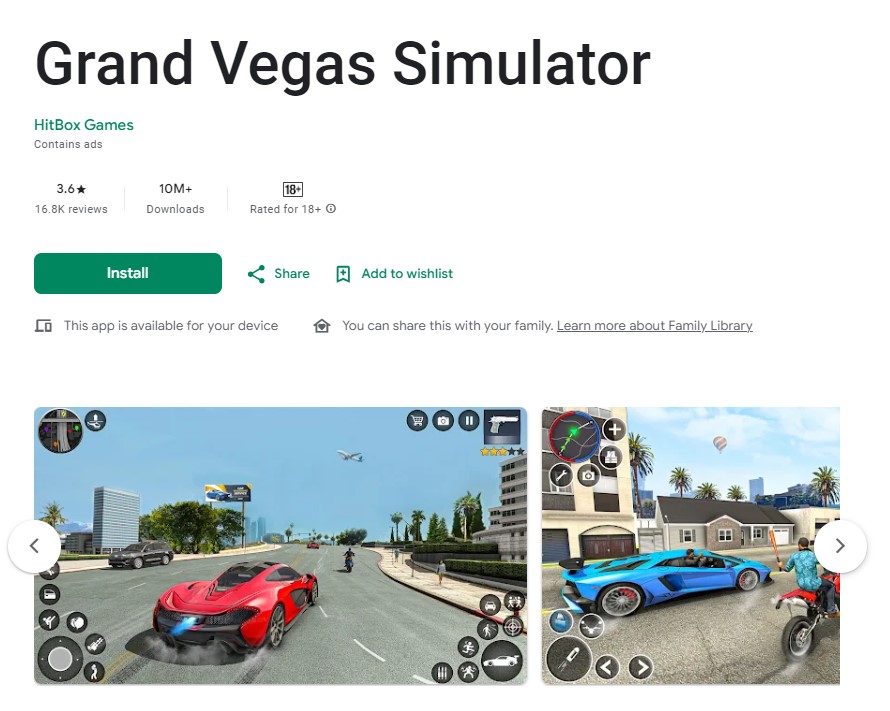
- Open the Google Play Store on your Android device;
- In the search bar, type “Grand Vegas Simulator” and hit the “Search” button;
- Look for the game in the search results and tap on it;
- Tap the “Install” button to download and install the game on your device;
- Once installed, open the app and start playing;
How to Play Grand Vegas Simulator?
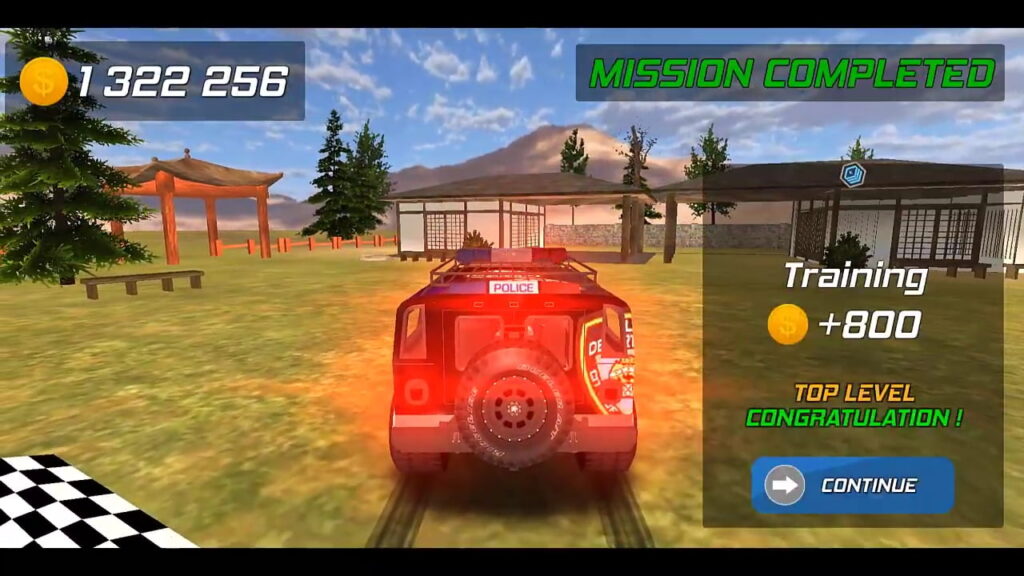
Follow the mission’s goals. There are many different types, like escorting the president’s limo chasing after criminals to respond to accidents, and more. Each mission offers unique challenges and goals that you must complete.
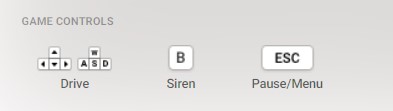
Control your police car using the arrow keys or the WASD keys on your keyboard, helping it travel through city streets and steering around obstacles and other vehicles. For instance, in some missions you might have to quickly get to certain places, keep a particular speed, or catch suspects by hitting their vehicles with yours.
Keep an eye out for the time limit and your surroundings. Read the starting directions to know what you need to do on every mission.
As you move forward, you will open fresh cars having varied performance abilities and customization choices. Gain ranks by accomplishing missions that lead to more difficult tasks and rewards.
Strategies to Win in Grand Vegas Simulator:
- Follow the objectives precisely. Read the objectives of every mission before you start. Figure out what is expected from you, if it involves getting to a particular location under certain time restrictions or catching an offender, among other things like guarding and accompanying VIPs;
- Learn the city map. Get to know the city’s map and main places well. Knowing the shortcuts, other ways to go and places for hiding can help a lot in running away or chasing scenes;
- Learn the controls at once. Use the arrow keys or WASD keys to control your car’s movement. Learn when you should speed up, slow down, and change direction smoothly;
- Safety first and control. Even though speed matters, focus on the car’s control to prevent the risks of crashing and keeping your vehicle in good condition. Too many crashes can slow you down and put the success of the mission at risk;
- Level up the vehicles. When you get rewards and move up the ranks, put your money into improving your vehicle. Customizing your car can improve how it works, helping you handle harder missions;
- Stay alert and adaptive. Be prepared for sudden changes. Both cops and suspects can sometimes act unexpectedly, so keep watchful and adjust your methods accordingly;
- Practice is key. Just like any game that relies on skills, practice will boost your performance. Spend time getting to know the game’s mechanics, improve your driving abilities, and learn from every mission you complete;
- Manage resources. Time, Health, and Vehicle are the most important resources. Use the resources smartly that include time, the health of the driver, or the condition of the vehicle. Good management of resources can make all the difference in achieving success or not;
You may enjoy the immersive play of the Grand Vegas Simulator on Y8 and Android devices. Feel the excitement from fast chases as you improve your skills in a virtual police role while driving the streets of infamous Las Vegas.
Top Racing Games as Alternatives to Grand Vegas Simulator
There are dozens of AAA and indie racing games you can play after finishing Grand Vegas Simulator Unblocked. Some of them are available on PCs (Steam, Windows, and Mac) and consoles, while the others do not require downloading being accessible from an online browser or through the official mobile app.
1) PC and Console Racing Games
Need for Speed: Heat
This gaming title is staged in the make-believe open world of Palm City. The game combines extreme street racing and police chase. Adjust your cars, escape from cops, and rule the roads during the high-powered races.
Forza Horizon 4
Travel around the breathtaking open-world scenery of Britain in this very much-praised racing game. Take part in races, stunts, and tasks while encountering changing seasons and a wide array of cars to gather and modify.
Burnout Paradise Remastered
This game is famous for its fast crashes and exciting races. It gives you the chance to race, do tricks, or wreck rivals in an open-world setting.
2) Mobile Apps and Browser Online Gaming Titles
However, these are the picks for PC and consoles you can play with other players. In case you want to find mobile racing games or flash-based browser games, there are a few different projects to look at in 2024:
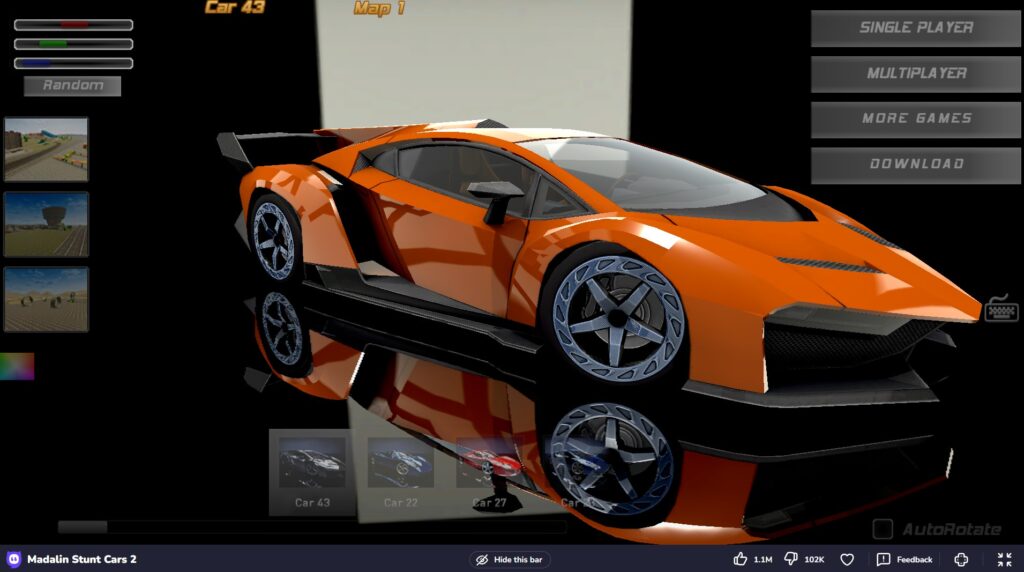
You can use this multiplayer racing game to drive different supercars and do stunts in a world that is open for exploration. You may race against other players or simply wander around in your own free time.
Feel like you’re driving in a real city using this simulator. Get better at driving, follow traffic laws, and handle different weather situations on urban roads.
Merge racing and destruction mechanics in this game. Smash into traffic to create chaos, do stunts, and earn points for your wrecking skills.
Also, you may read and join the Reddit discussion about the best racing gaming titles on Android. People share their experiences about how to buy/download and play these titles. Since most modern mobile devices support great graphics and powerful game engines you can play very different titles – from very realistic driving simulators to “fast and furious” stunt races. If your preference is for precise driving tests or thrill-filled action, these games have something exciting for you to play straight from your web browser.
Frequently Asked Questions
What makes Grand Vegas Simulator different from other racing games?
Grand Vegas Simulator offers an interesting combination of police simulation and racing. It is not the same as normal racing games because it makes you do more than just race through the city. Occasionally, you also have to handle complicated missions like bank robberies or fast chases.
How can I improve my performance in the Grand Vegas Simulator?
The main task is to learn how to control vehicles effectively and plan strategies. Train yourself to drive around the city, find shortcut ways, and use car functions wisely when doing complicated but interesting missions. Also, make sure to upgrade your vehicle’s abilities by customizing it according to each mission. Being aware of mission goals and adjusting quickly to new situations will boost your triumph chances.
Is the Grand Vegas Simulator suitable for all ages?
Grand Vegas Simulator is a game that seems to be appropriate for older teenagers and grown-ups (with a rating of 18+ on the Google Play Store). It deals with themes like crime, police chase after criminals, and strategic difficulties. Even though it provides thrilling experiences, this game doesn’t have any explicit content but there are realistic images of police actions as well as criminal activities in virtual Las Vegas.
What are the system requirements for playing the Grand Vegas Simulator on PC?
For playing Grand Vegas Simulator on PC, you should have these minimum system requirements: a good graphics card, at least 4GB of RAM memory, and a modern processor (Intel Core i3 or its equivalent). The game works well with many versions of Windows OS – like Windows 7 up to 11. If you play online, a stable Internet connection is required.
Can I play the Grand Vegas Simulator online?
Certainly, you may play the Grand Vegas Simulator on the internet. The game can be found on the gaming platforms like Y8. You can directly access it through your web browser by searching for the request “Y8 Grand Vegas Simulator” on the websites.
Conclusion
Grand Vegas Simulator is one of those small but interesting racing games you can easily miss. However, it is definitely worth your time and effort because of a thrilling adventure full of fast driving, smart missions, and interactive landscapes of the popular city of Las Vegas. Take a seat in the driver’s place in a police car and experience the thrill of this police simulator.